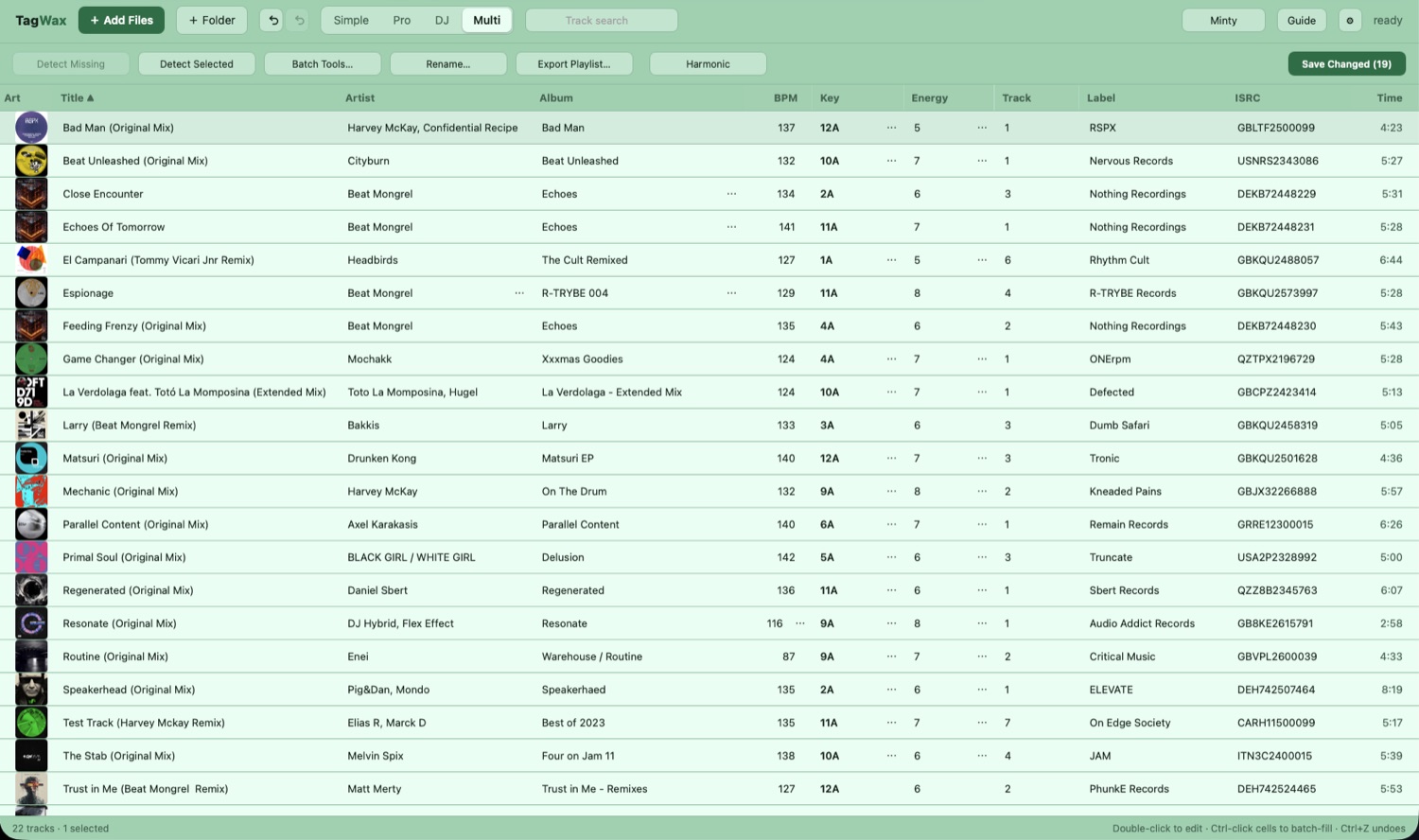
A serious tagging tool for anyone whose music library has drifted into a mess — with the deepest DJ toolkit of any of them. Fix artists, albums and artwork across thousands of files, work out BPM and musical key on your own machine, and see every change laid out before a single byte reaches your files.
Coming to the Mac App Store and the Microsoft StoremacOS 14 and later · Windows 10 and 11 · works offline
Start here
Every track carries text alongside the audio — artist, title, album, year, the cover picture. That text is called its tags, and it's what your player, your phone and your DJ software read. So when a song turns up as Unknown Artist, or filed under the wrong album, the music is perfectly fine. The tags are wrong.
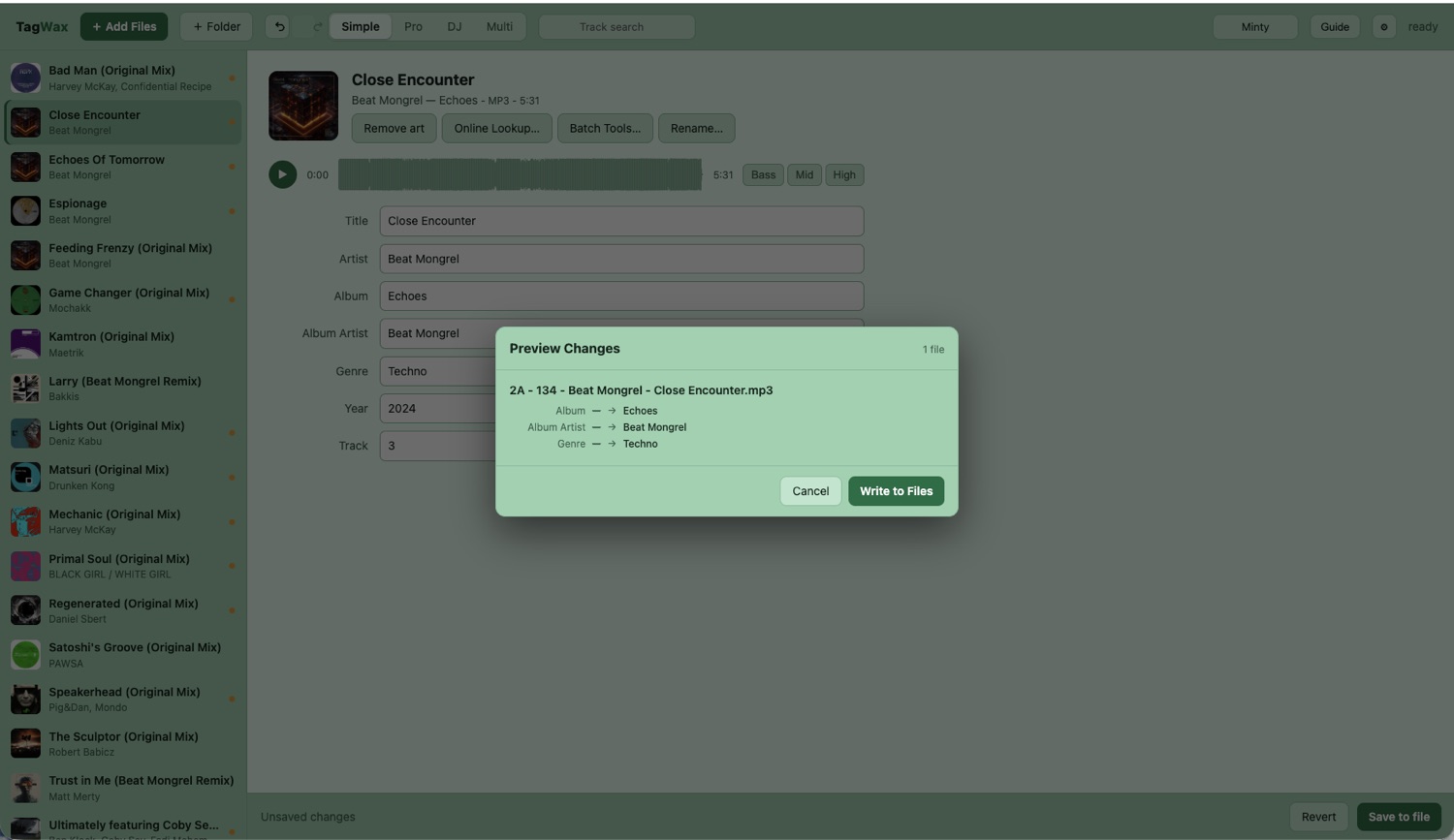
They arrive wrong constantly: download stores, old rips, files that have passed through five different programs. TagWax opens the file, shows you exactly what's stored in there, and lets you put it right — one track, or ten thousand.
The whole point
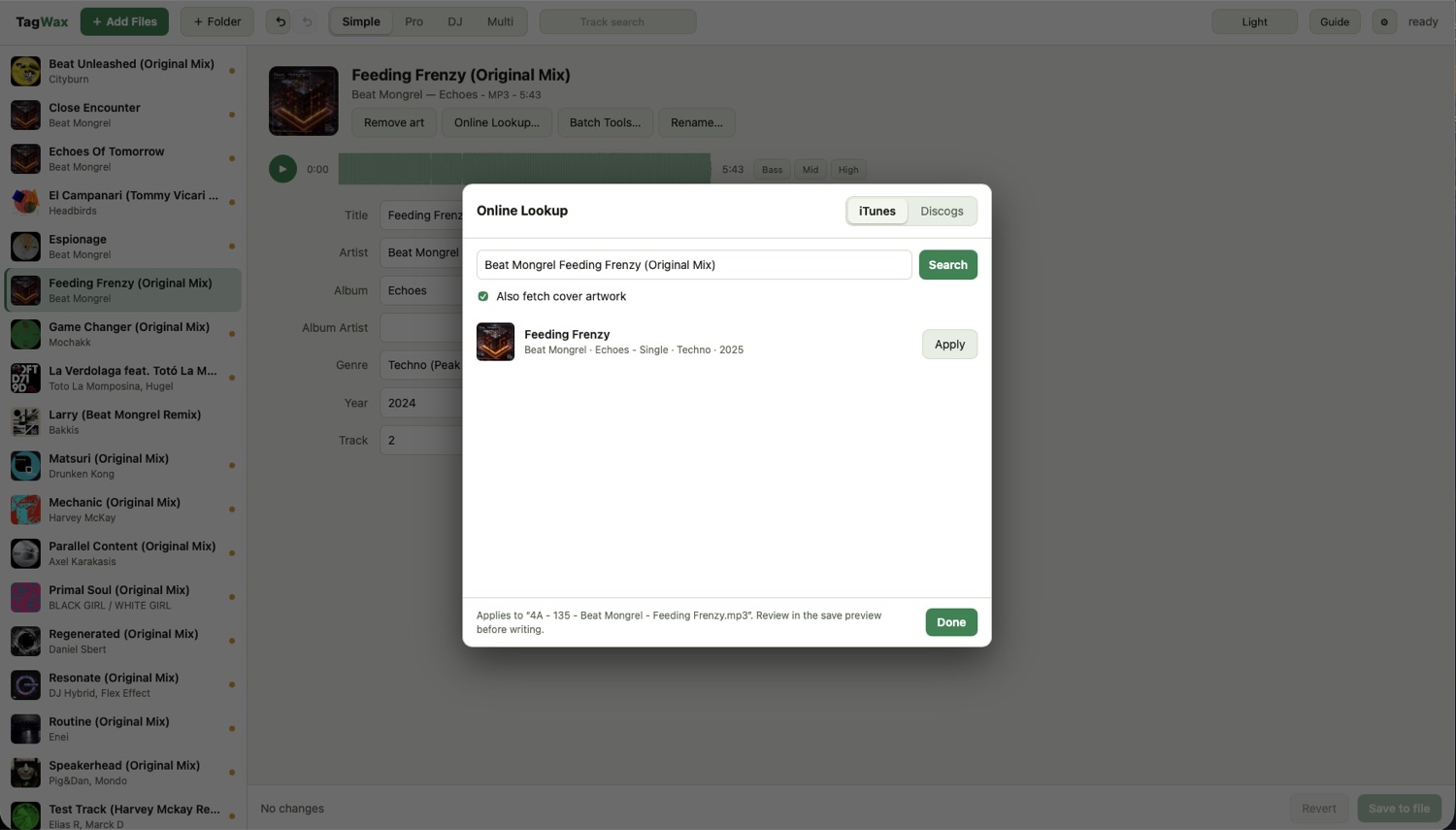
A find-and-replace across two hundred files. A batch that caught the wrong field. Tagging goes wrong at scale, and by the time you notice, the originals are gone.
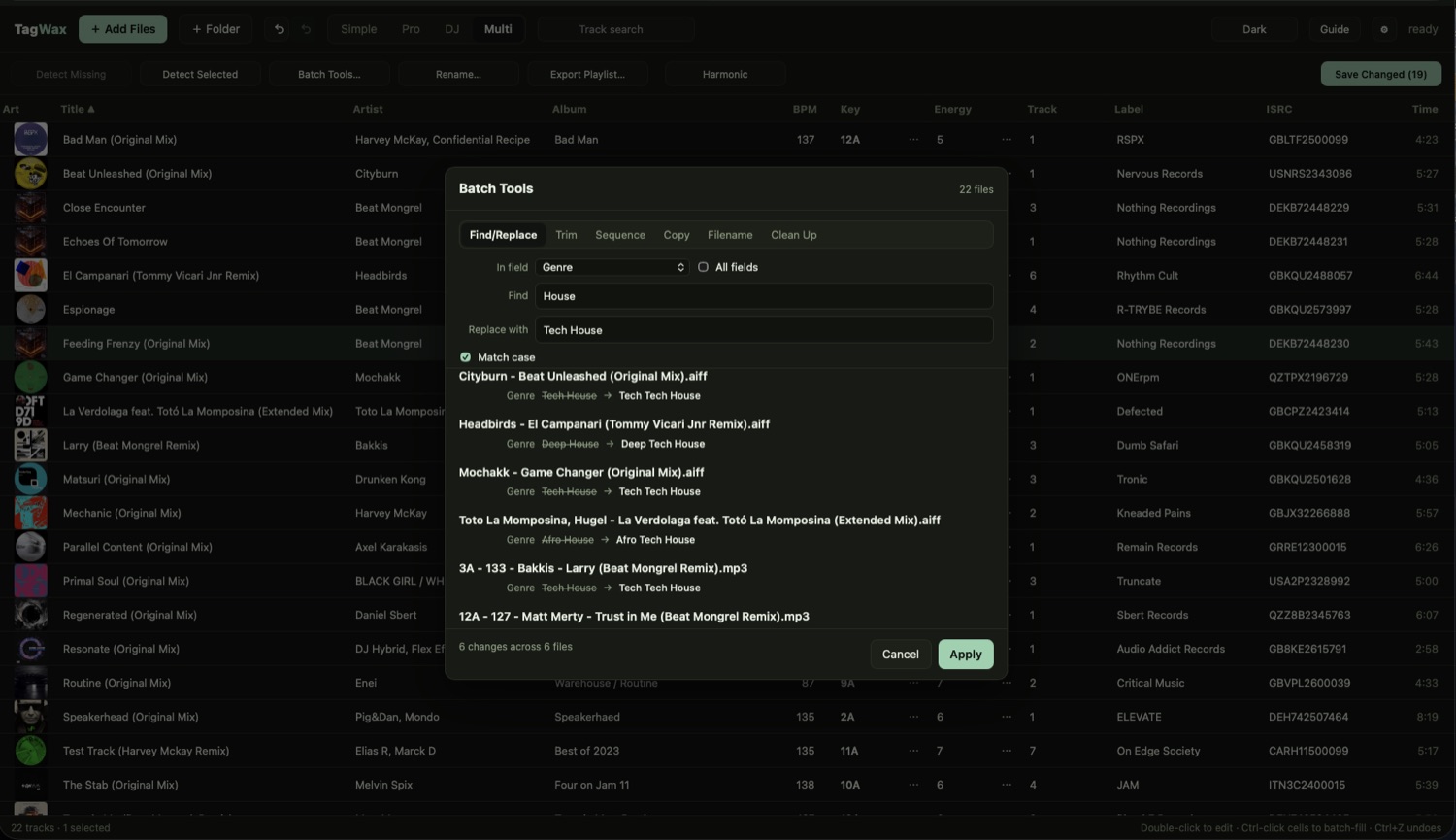
TagWax shows you the list first — every field, old value beside new — and waits. Cancel and nothing has moved. That one habit is why the app exists.
Detection you can argue with
A detected key is a best guess, not a fact — and for house and techno it's genuinely hard. Built on a riff, a stab and a bassline rather than clear chords, the harmony is sparse enough that trained musicians disagree about it too. That's true of every key-detection tool there is, including this one.
So TagWax doesn't hand you a wrong answer with a straight face. It shows how sure it is, and the alternatives it weighed, and lets you hold a key to hear it against the track. Low confidence means genuinely ambiguous — lean on listening.
Your ears are the final judge. That's the intended workflow, not a workaround: for a set, what sounds good beats what's technically correct.
Harmonic mixing
Keys that sit close together share most of their notes, so two tracks in neighbouring keys play over each other without fighting. Keys further apart make a statement. That is the whole of harmonic mixing — and TagWax turns it into something you read down a list.
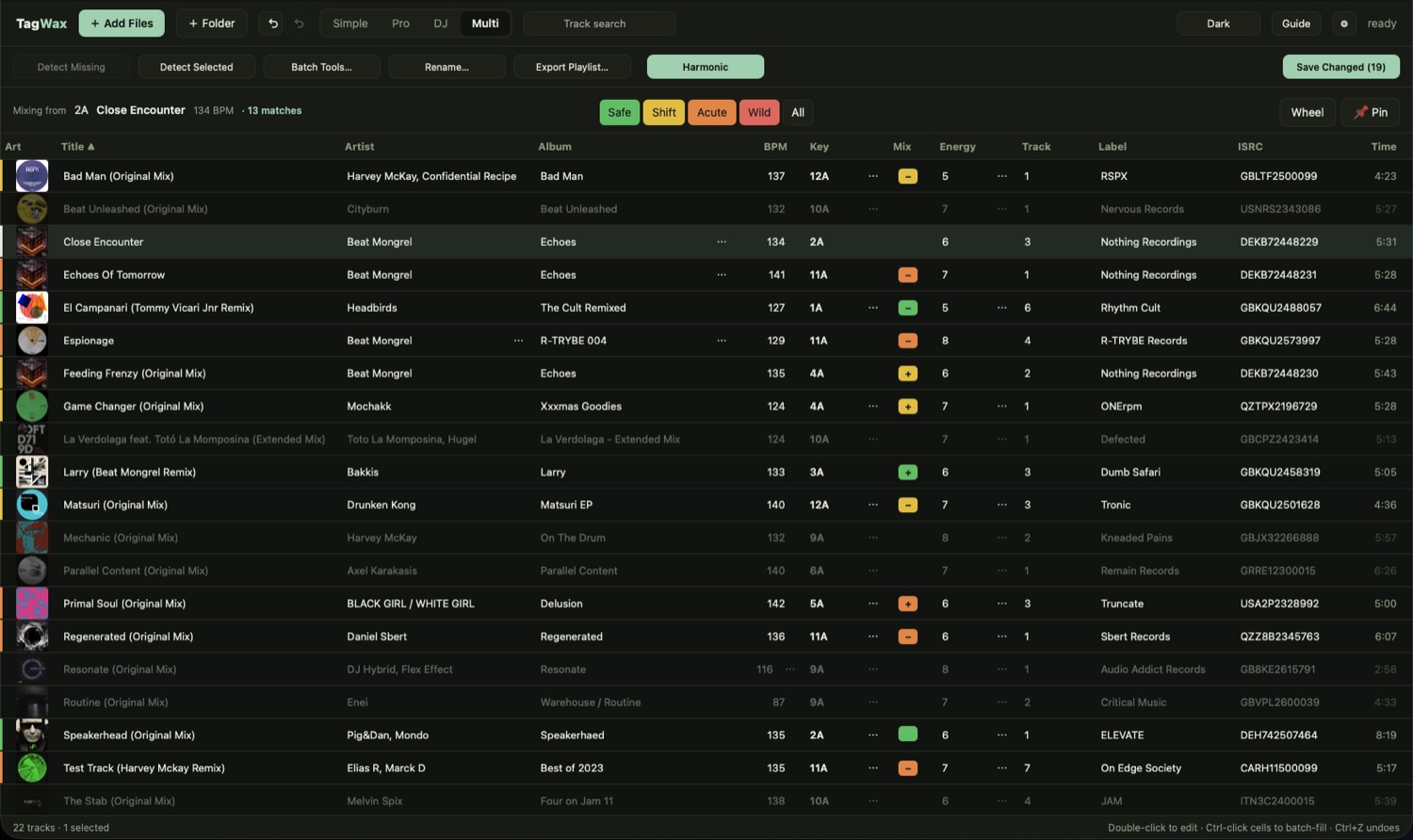
Pick a reference track, then say how brave you're feeling. Safe for the blends that just work, Shift for a lift or a drop, Acute for a change of mood, Wild for the half-octave gamble. The crate recolours around it, green through red, with a + or − for which way round the wheel each one sits. Everything the lens doesn't cover fades back, so what's left on screen is the answer to the question you asked.
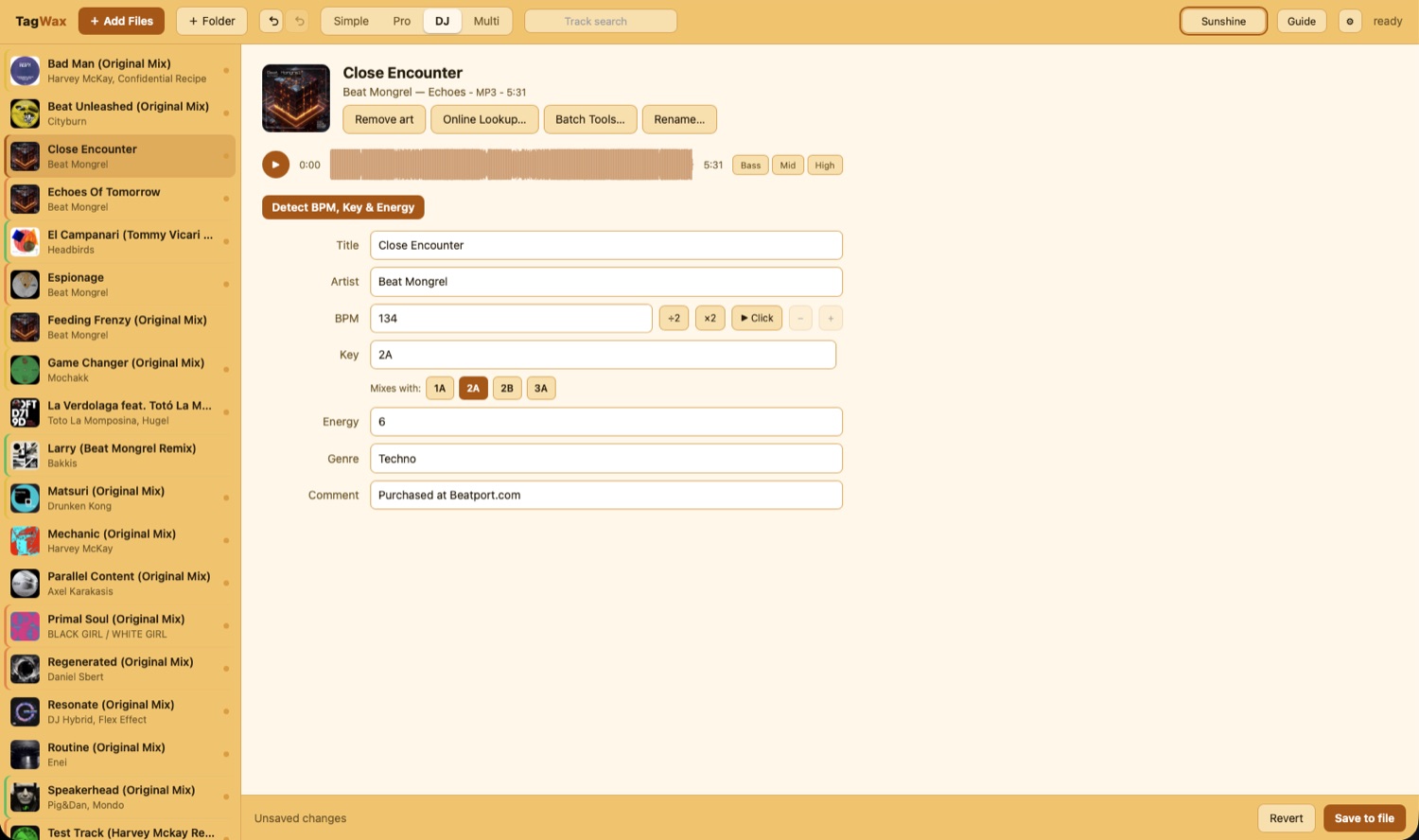
The same colours run down the track list in DJ mode, measured against whatever you're playing — so the next record is a glance away rather than a search.
And it shows its working. Most tools print a code and leave you to trust it. The guide lays out the circle of fifths those codes come from — four wheels, one per notation — and you can click any key to light up everything it goes with.
Nothing leaves the room
Tempo and key analysis runs on your own machine, on a neural model that ships inside the app. No account, no upload, no telemetry, and no waiting on somebody else's server. It works on a plane, and in a booth with no usable wifi.
The only thing that ever leaves is the text you type into Online Lookup, and only when you press Search. The privacy policy is short, and says so.
Built for crates, not files
When a whole crate needs the same correction, six batch tools do it at once — find and replace, trim, sequence, copy one field into another, pull tags out of the filename, or clean up the spacing across every field.
Each shows a live before-and-after list of the files it will touch, and each is reversed by a single undo.
Why it exists
I'm a DJ, and let's be honest — prepping tracks is a chore. I tried every tagger going and none of them fitted my workflow. I ended up using two different tools to get one job done.
So I built the one I wanted for my own crate, and kept refining it until it was worth selling. That's TagWax. No fluff — just a way to buy back some of that prep time for the mixing and the making.
— Paul, Beat Mongrel